Posted By
Posted On
June 16, 2025
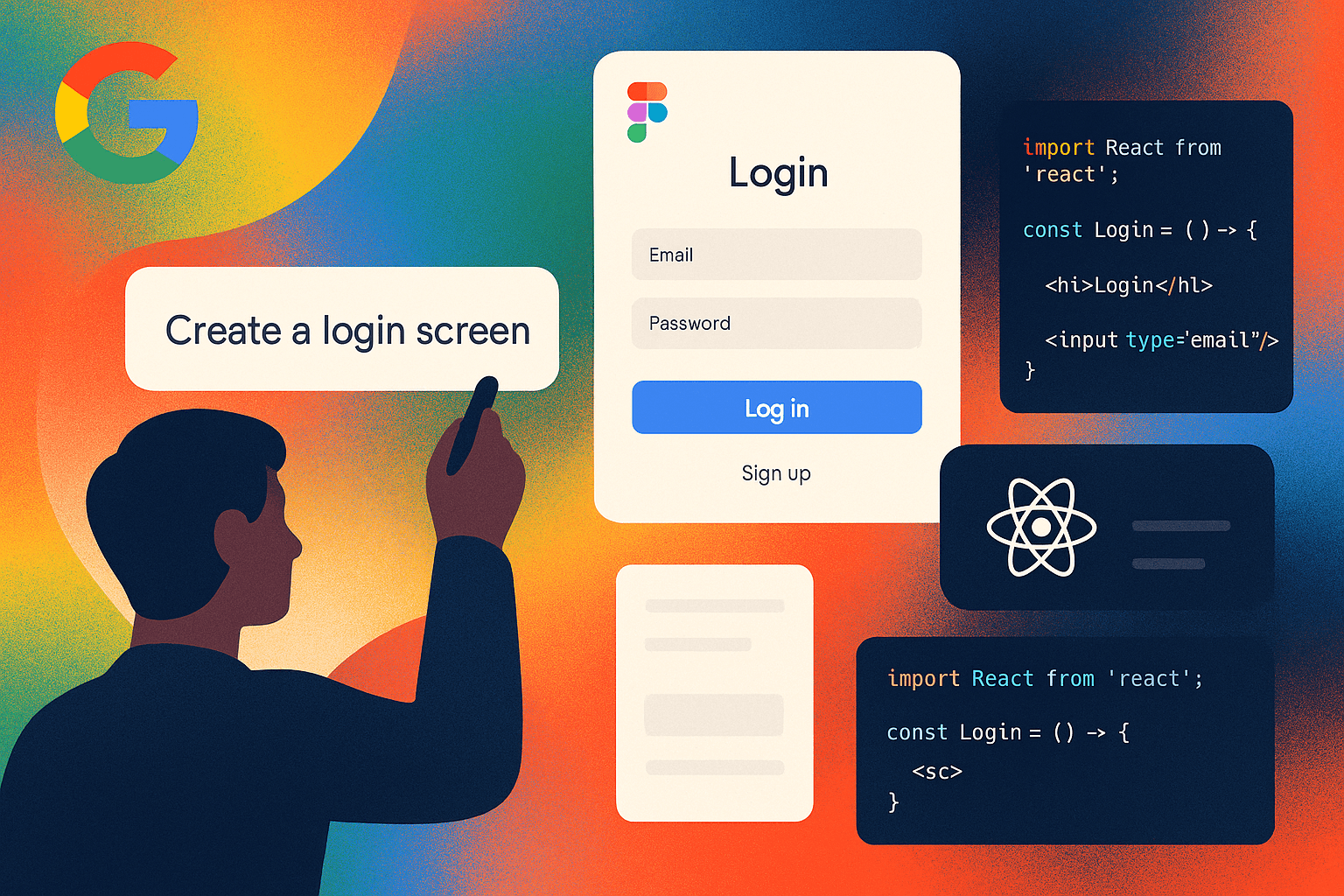
Imagine typing:
"Design a travel booking app with a navbar, search bar, and card layout for popular destinations."
And instantly receiving not just wireframes in Figma—but also clean, editable UI code.
In 2025, that’s not a dream. It’s Stitch—Google’s latest AI tool built to bridge the gap between ideation and implementation. Stitch converts natural language into usable front-end assets, blurring the lines between design and development.
In this article, we break down what Stitch does, how it works, and how tools like it are reshaping UI workflows for agencies, product teams, and indie developers alike.
The Rise of Natural Language UI Builders
Traditionally, UI creation was a two-step process:
Designing in tools like Figma, Sketch, or Adobe XD
Translating those designs into code—usually by frontend developers
This handoff causes friction: mismatched pixels, unclear logic, versioning hell, and endless Slack threads like "What font weight was this again?"
Natural language UI tools aim to collapse those steps. Instead of designing, then coding, you simply describe what you want.
Stitch takes this a step further by outputting both:
Figma-compatible design files, for visual editing
Structured code, often in React or Flutter, ready to plug into a project
What Makes Stitch Special?
Google’s Stitch stands out because it focuses on production-grade workflows:
Design-to-code parity: The Figma and code output match 1:1
Semantic understanding: It gets not just layout, but purpose (“hero section for promotions”)
Reusability: Generated components are modular and editable
Speed: You can generate multiple iterations within seconds
And it doesn’t stop at UI.
It also generates:
Component props
Responsive variants
Design tokens
Interaction hints (like hover states or animations)
Stitch is not just a design shortcut—it’s a co-pilot for front-end systems.
How Developers and Designers Use It
Agencies and startups are already experimenting with Stitch-like workflows to:
Prototype entire landing pages from a brief
Turn sales copy into design mockups
Generate components for design systems
Create dark/light variants of UI kits
Skip Figma entirely and go straight to code when needed
Example prompt:
“A SaaS pricing page with three plans, monthly/yearly toggle, testimonials at the bottom.”
Stitch output:
Figma file with structured auto-layout
React code with clean Tailwind CSS classes
A JSON token file for design system integration
Designers tweak. Developers deploy. Speed goes up. Cost goes down.
The Workflow Shift in 2025
Here’s how a typical UI flow has changed:
Before:
PM writes requirements
Designer mocks up in Figma
Developer writes the front-end code
QA checks implementation
Revisions happen back and forth
After Stitch:
PM writes requirements as a prompt
AI generates Figma and code
Designer polishes in Figma if needed
Developer connects logic and deploys
QA focuses on logic, not layout
What used to take 2 weeks now takes 2 hours.
Best Practices for Using Stitch (or Tools Like It)
To get the most out of Stitch, teams need to treat prompt writing as a skill.
Here are some tips:
Be Specific, Not Vague
✅ “Create a dashboard UI with sidebar nav, stat cards on top, and recent activity below.”
❌ “Make a dashboard”
Use UI Terminology
Mention headers, grids, hero sections, modals, etc. The AI understands component concepts better than vague ideas.
Define Style
If you want minimal, bold, material, or glassmorphic—say it. Stitch responds well to tone and theme cues.
Think Layout First, Logic Later
Start by generating layout. Logic (e.g., API hooks, state management) can be added afterward manually.
Iterate Prompt-to-Prompt
You don’t have to get it perfect the first time. Run multiple variations and combine the best parts.
Where Stitch Fits Into Real-World Projects
Agencies like Agensync are already adopting Stitch-like flows to speed up client deliverables.
Here’s how we at Agensync might use Stitch:
Take a client’s brief in plain English
Generate a first-pass UI in minutes
Review and edit in Figma collaboratively
Deliver both the design and code with a dev-ready package
Deploy components directly into Webflow, React, or native apps
The result?
Projects move 3x faster. Clients get prototypes same-day. And dev teams focus on logic, not layout.
Limitations (For Now)
While Stitch is powerful, it's not magic. Here are a few realities:
Backend logic is still manual: Stitch doesn’t (yet) connect forms to your API.
Complex interaction design may need manual tweaking
Branding may require override of default themes or token systems
Generated code isn’t always optimized for your stack (e.g., if you're using Vue or Svelte)
But these are shrinking problems. AI generation is evolving weekly.
The Bigger Picture: AI-as-Frontend
Stitch is part of a larger trend: the AI-native front-end.
Other tools are emerging that pair well with Stitch:
Prompt-based animation builders
Auto-copywriters that match tone to UI
AI QA testers for visual bug detection
Eventually, you’ll describe your product—and the UI, copy, and code will all co-generate as one system.
We’re not just speeding up design.
We’re redefining who designs—and how.
Why Agensync Watches Tools Like Stitch Closely
At Agensync, we help startups and digital brands stay ahead of the curve—not just in automation, but also in next-gen UI systems.
We study tools like Stitch not just to use them, but to build on top of them:
Connecting Stitch’s output to internal CMS pipelines
Plugging generated components into live data dashboards
Integrating UI generation with Make.com workflows for full product MVPs
If a client needs a demo-ready app in 3 days, tools like Stitch make it possible—and Agensync makes it real.
Final Thoughts: Write Interfaces, Not Just Code
Stitch is a turning point.
It tells designers: “You don’t need to drag pixels—just describe what you need.”
It tells developers: “You don’t have to code every button—let the AI scaffold it for you.”
It tells founders: “Your MVP idea doesn’t have to live in Notion. You can launch it today.”
Natural language is becoming the new dev tool.
And with Stitch, we’re closer than ever to no-line UI creation.
Need production-ready UI faster than ever?
Let Agensync supercharge your workflow with AI-assisted design systems, automation, and deployment pipelines.
We don’t just follow the trends—we integrate them into results.
Stay Informed with AgenSync Blog
Explore Insights, Tips, and Inspiration
Dive into our blog, where we share valuable insights, tips, and inspirational stories on co-working, entrepreneurship, productivity, and more. Stay informed, get inspired, and enrich your journey with Wedoes.